
AI-Powered
Know Exactly Where and When Your Team Clocks In.
Draw geofences around your job sites, offices, and warehouses. Enforce that employees can only clock in when they’re physically inside the boundary. GPS coordinates captured at every punch. Works on every mobile clock-in — even offline. Free for every user.
Draw a Boundary. Enforce It Automatically.
Setting up a geofence takes less than a minute. Managing a hundred of them takes the same dashboard.
Map-Based UI
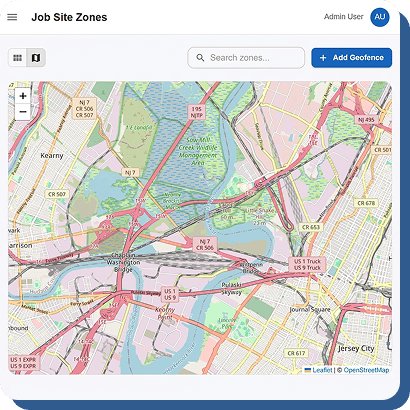
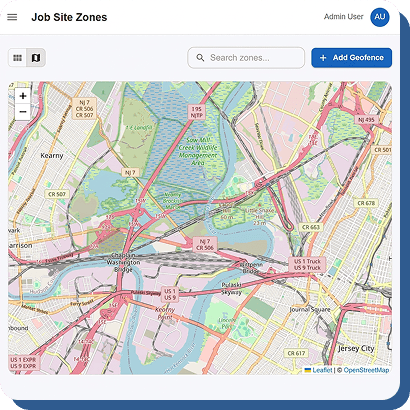
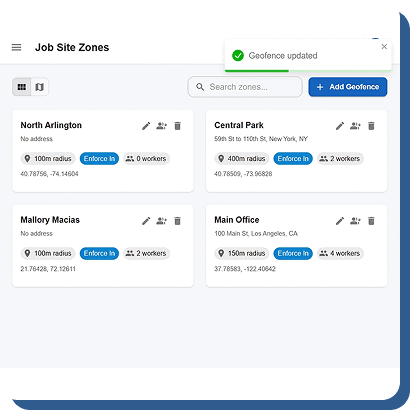
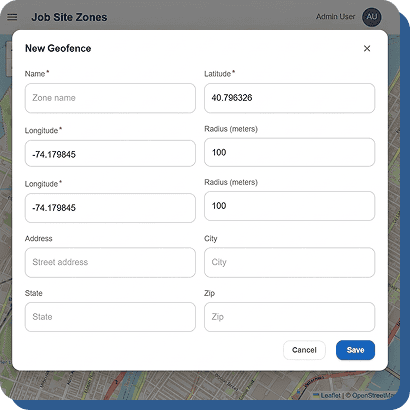
Create geofences easily using an interactive map with full zoom, pan, and satellite view support. Simply choose a center point, adjust the radius by dragging the boundary, give the location a name, and save it instantly. The user-friendly interface makes location setup simple for offices, warehouses, construction sites, and remote job locations. Managers can quickly create accurate attendance boundaries without technical expertise, helping businesses improve location-based workforce tracking, reduce unauthorized clock-ins, and maintain better operational control from a single centralized dashboard.
Configurable Radius
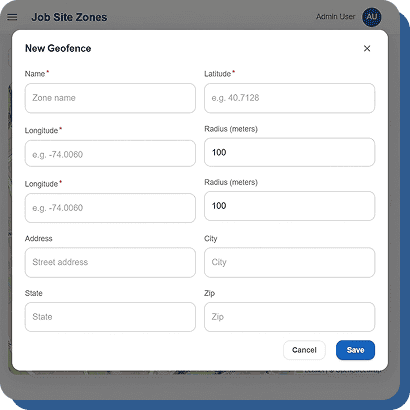
Customize geofence boundaries based on your exact business requirements with complete control over location precision. Set a small 50-meter radius for office spaces or expand it to 500 meters or more for larger areas like construction sites, factories, or outdoor job locations. This flexibility allows businesses to create accurate attendance zones that match real working environments. Whether managing a compact workspace or multiple large-scale sites, adjustable geofence settings help improve employee accountability, ensure accurate clock-ins, and support reliable location-based attendance management.
Per-Fence Worker Assignments
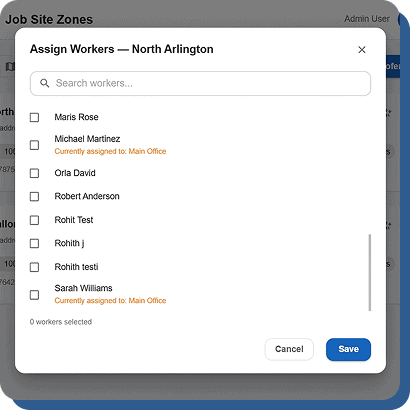
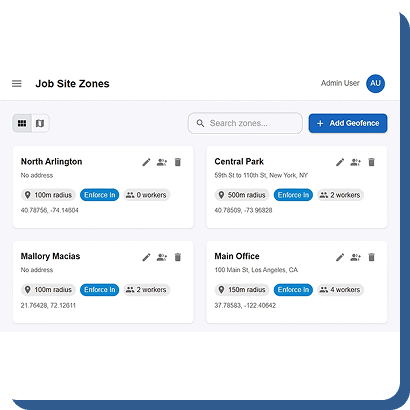
Assign employees to specific geofences to ensure they can only clock in from authorized work locations. For example, employees assigned to the downtown office will only be allowed to register attendance within that approved geofence. This feature helps businesses prevent unauthorized punches, improve location accuracy, and maintain workforce accountability across multiple offices or job sites. Managers can easily control location access based on employee roles, departments, or assignments, creating a more secure and organized attendance tracking system for both office and field-based teams.
Enforcement Flags
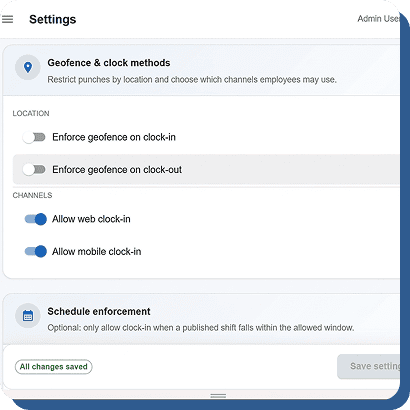
Choose how your business handles out-of-boundary clock-ins with flexible geofence enforcement settings. Hard enforcement completely blocks employees from clocking in outside the approved area, while soft enforcement allows the punch but automatically flags it for manager review. This gives businesses the freedom to apply strict or flexible attendance rules depending on operational needs. Managers stay informed of potential location violations while maintaining control over approvals and compliance. The system helps improve attendance accuracy, reduce misuse, and support smarter workforce management decisions across every location.
Multi-Site Support
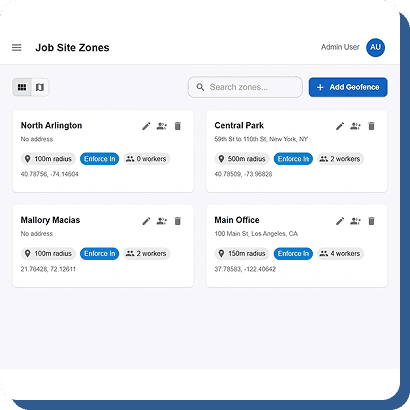
Easily manage multiple geofences from one centralized dashboard designed for growing businesses and multi-location operations. Create and organize unlimited geofences for offices, warehouses, retail stores, job sites, or remote work areas without restrictions. Employees can also be assigned to multiple geofence locations based on their schedules or responsibilities. This flexible setup simplifies workforce tracking across different sites while giving managers complete visibility and control. With centralized management, businesses can efficiently monitor attendance, maintain accurate location records, and streamline operations across all work environments.
Every Punch. Every Location. Mapped and Logged.
GPS isn’t just for geofence enforcement. It’s a complete location record for every clock event.
GPS Breadcrumb at Every Punch
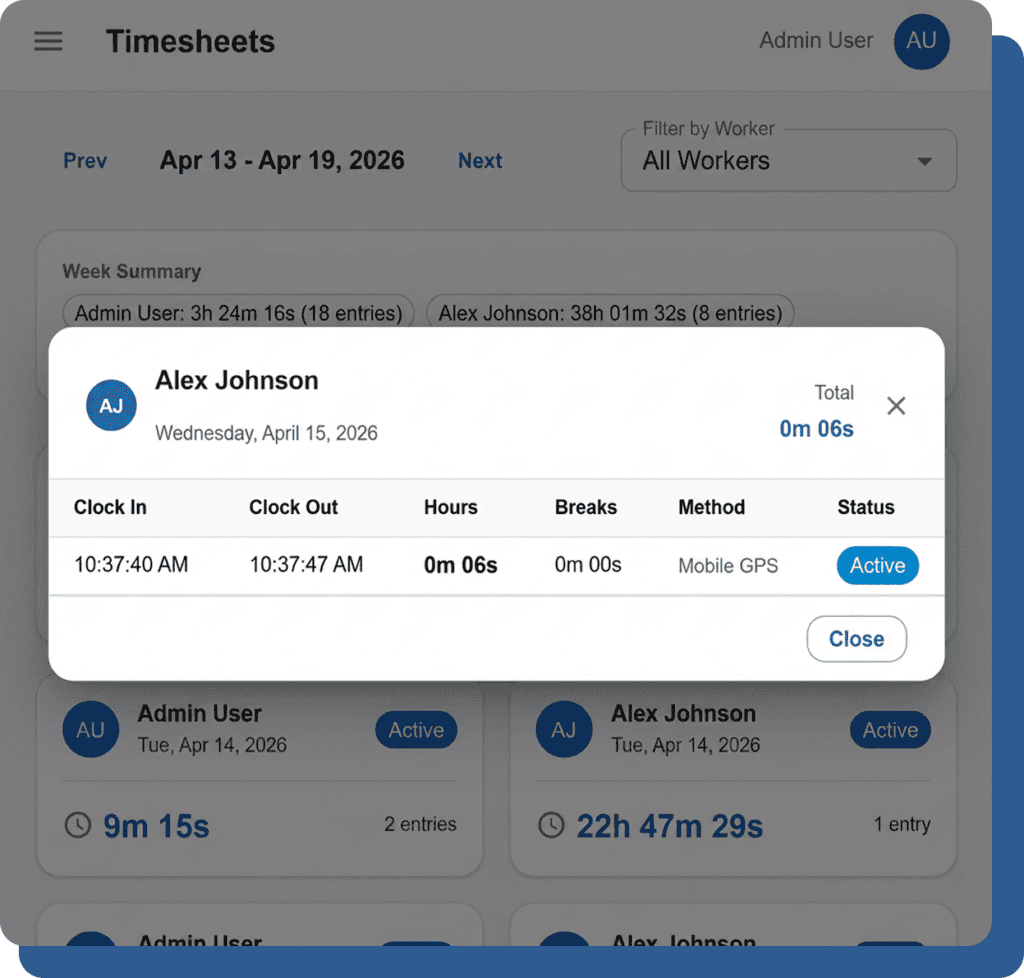
Every employee clock-in and clock-out automatically captures precise GPS coordinates for accurate attendance tracking. Managers can view the exact punch location directly on an interactive map, helping businesses monitor workforce activity in real time. This feature improves accountability, prevents location-based attendance misuse, and ensures employees are clocking in from approved job sites or work locations.
Location History per Employee
Managers can easily access complete punch history records for any employee and view all locations where they have clocked in or out. This is especially useful for field workers, delivery staff, and employees working across multiple sites. The system provides better visibility into workforce movement, improves operational tracking, and helps verify attendance accuracy at different job locations.
Geofence Violation Alerts
When an employee clocks in outside the approved geofence using soft enforcement mode, managers instantly receive an alert along with the employee’s GPS coordinates. This allows supervisors to quickly review suspicious or unauthorized punches while maintaining flexibility for exceptional situations. The feature improves attendance monitoring, strengthens location compliance, and helps businesses maintain better workforce control across all locations.
Works Offline
The mobile app continues capturing GPS coordinates even when there is no internet connection available. Employee punch data and location details are securely stored locally on the device and automatically synced once connectivity is restored. This ensures uninterrupted attendance tracking for remote workers, field teams, and employees working in low-network areas without losing important punch or location information.
GPS That Works Where Your Team Works.
Construction Crews
Workers move between sites daily. Geofence per site. Offline-first mobile means they clock in even in dead zones. GPS proves they were on-site.
Delivery & Field Service
Drivers and technicians clock in from customer locations. GPS breadcrumbs verify location. Geofence enforcement optional per role.
Multi-Location Retail & Food
One geofence per store or restaurant. Workers assigned to their home location. Managers see who’s on the clock at each site.
Healthcare & Home Care
Care workers clock in at patient homes or facility campuses. GPS verification for compliance documentation.
Remote & Hybrid Teams
Optional GPS for remote workers who need location verification for client billing or compliance.
GPS Time Tracking That Works Offline. Free.
Draw geofences in under a minute. Enforce them automatically. No hardware. No cost.