cloudtimemanager.com

Self-Service

PTO Requests, Approvals, and Balances โ€” All in One Place.

Employees submit time-off requests from their phone in 30 seconds. Managers approve or reject with one tap. Balances update automatically. The schedule reflects it instantly. No spreadsheets. No email chains. Completely free.

Submit, Approve, Done. From Anywhere.

PTO shouldnโ€™t require a paper form, an email thread, and a manager tracking balances in a spreadsheet.

Employee Request Submission

Employees can easily submit time-off requests directly from the mobile app in less than 30 seconds. They simply open the Time Off section, select a leave type, choose the required dates, add optional notes, and submit the request instantly. The request immediately appears on the managerโ€™s dashboard for review, creating a faster and more organized leave management process. This streamlined workflow reduces paperwork, improves communication, and helps businesses manage employee absences more efficiently from anywhere.

Manager Approval Dashboard

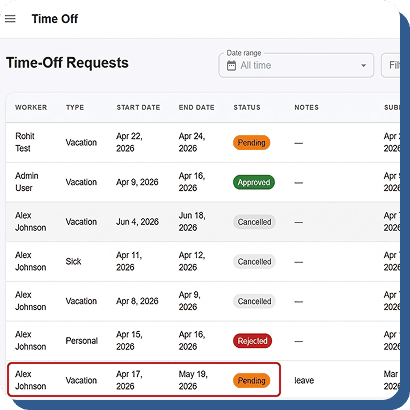
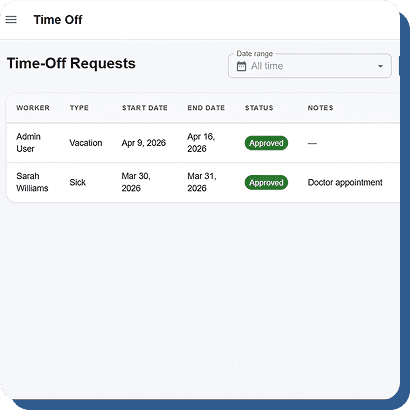
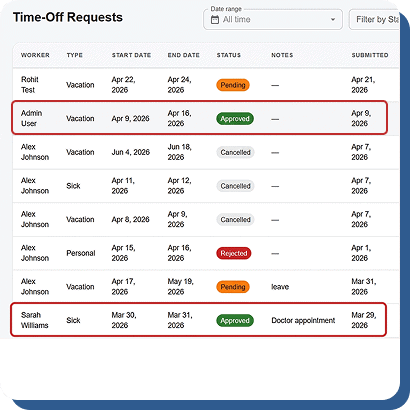
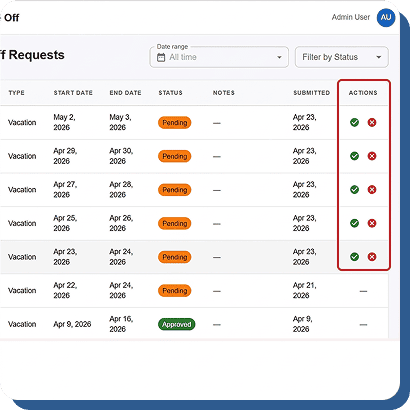
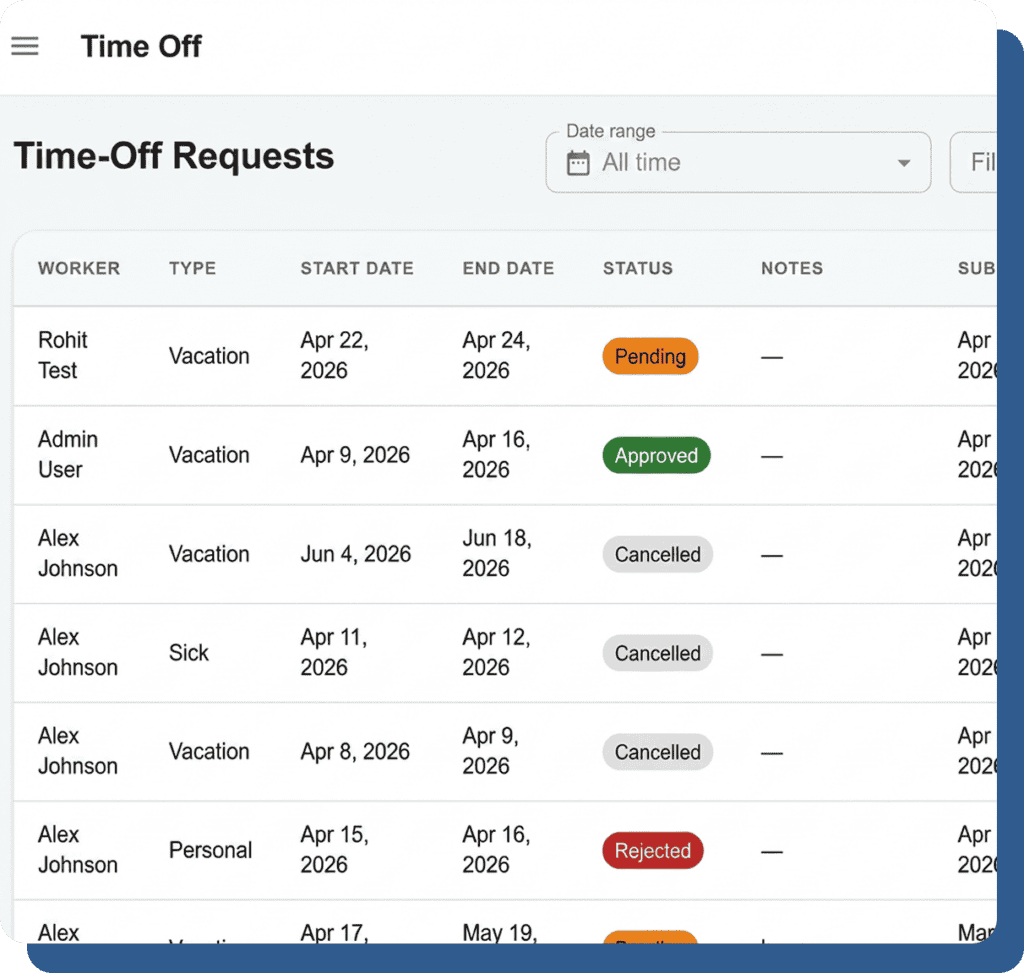
Managers can view all pending time-off requests from one centralized dashboard designed for quick decision-making. Each request clearly displays the employeeโ€™s name, requested dates, leave type, remaining leave balance, and any schedule conflicts that may impact operations. Managers can approve or reject requests with a single tap, saving valuable administrative time. This organized approval system helps businesses maintain proper staffing levels, avoid scheduling disruptions, and ensure transparent leave management across departments and work locations.

Status Tracking

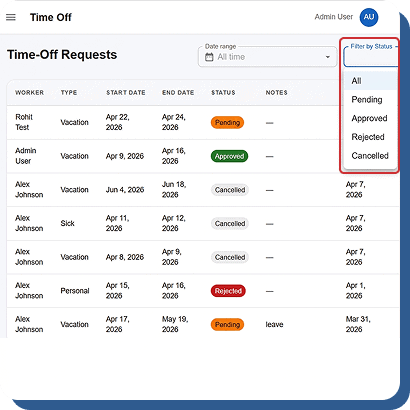
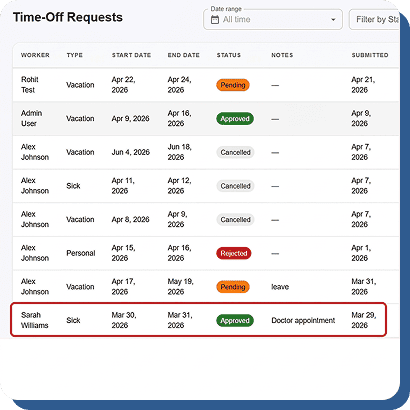
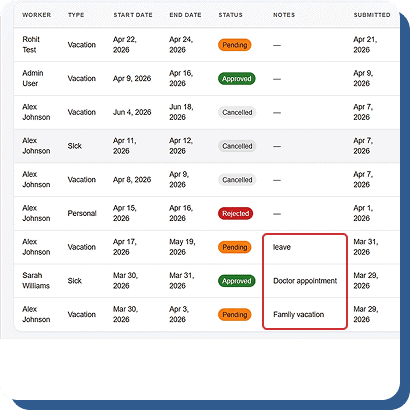
Employees receive real-time updates on the status of their time-off requests directly through the mobile app. Whether the request is Pending, Approved, or Rejected, the system instantly reflects the latest status for complete transparency. Push notifications are automatically sent the moment managers make a decision, ensuring employees stay informed without needing follow-ups or manual communication. This improves workplace communication, reduces confusion, and creates a smoother leave management experience for both employees and managers.

Cancel Pending Requests

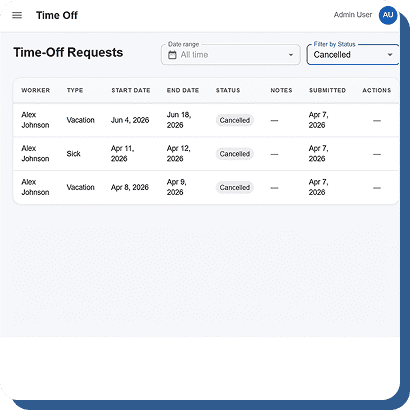
Employees can easily cancel their own pending time-off requests before approval directly from the mobile app. However, once a request has been approved, any changes or cancellations require manager action to maintain proper oversight and accountability. This controlled workflow keeps leave records organized, prevents unauthorized modifications, and creates a clean, fully auditable approval history. Businesses benefit from improved transparency, stronger compliance, and better workforce planning while maintaining flexibility for employees and management teams alike.

Always Know How Much Time Off Your Team Has Left.

Balances update automatically as requests are approved and time is taken. No end-of-month reconciliation.

Automatic Balance Updates

Once a leave request is approved, the system automatically deducts the time from the employeeโ€™s available PTO balance and updates the timesheet instantly. This creates a single, accurate source of truth for attendance, leave tracking, and payroll management while reducing manual errors and administrative work.

Custom Leave Types

Create unlimited leave categories based on your company policies, including vacation, sick leave, personal leave, bereavement, jury duty, and parental leave. Each leave type maintains its own separate balance pool, helping businesses manage employee benefits accurately while ensuring clear and organized PTO tracking.

Manager Balance Visibility

When managers review a time-off request, the employeeโ€™s available balance for that specific leave type is displayed directly on the approval screen. This helps managers make faster, informed decisions while avoiding overuse of leave balances and maintaining accurate workforce scheduling.

Manual Adjustments

Managers can manually adjust PTO balances for anniversaries, corrections, or unused day carryovers whenever needed. Every adjustment is securely logged in the employeeโ€™s record, creating a transparent and fully auditable history for better accountability, compliance, and accurate leave management.

Approved PTO Shows Up Everywhere It Should.

PTO isnโ€™t an island. Approved time off flows directly into the schedule and payroll automatically.

Schedule Integration

Approved PTO automatically reflects in the schedule. The auto-schedule engine wonโ€™t schedule someone whoโ€™s on vacation.

Calendar View

Visual calendar shows approved time off across the team. Spot coverage gaps before approving overlapping requests.

Payroll Export

PTO hours flow into payroll exports alongside worked hours. Separate line items for each leave type.

Mobile Access

Check balances, submit requests, and track status entirely from the mobile app. Time Off is one of the five primary tabs.

PTO That Manages Itself. Free.

Submit from mobile. Approve with one tap. Balances update automatically. $0/user/month.