cloudtimemanager.com

1-Click Sync

Export to Payroll in One Click. Free.

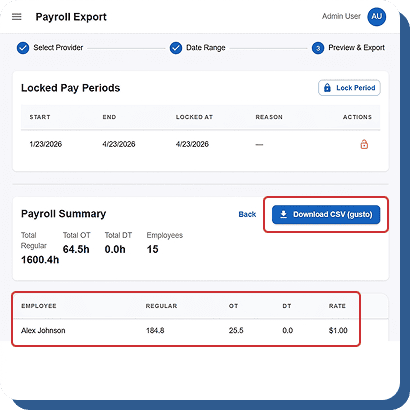
Clean, audit-ready hours sent directly to QuickBooks, ADP, Gusto, Paychex — or downloaded as a CSV for any payroll system. FLSA-compliant rounding, configurable overtime rules, and locked pay periods. Your numbers are right the first time. Completely free.

Your Payroll System. Our Time Data. One Click.

Cloud Time Manager is payroll-agnostic. We don’t lock you into one provider or charge extra for integrations.

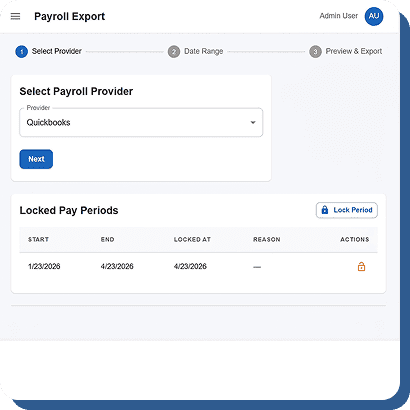
QuickBooks (Desktop & Online)

Direct integration. Map employees, sync hours by pay period, and export with overtime, PTO, and department breakdowns already separated.

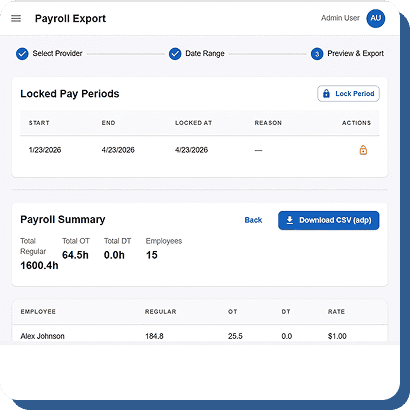
ADP

Export formatted for ADP Workforce Now and ADP Run. Hours, overtime, and department codes mapped to your ADP configuration.

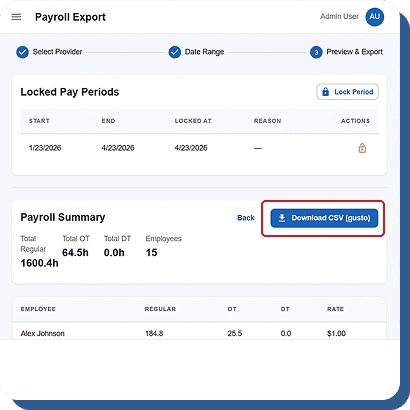
Gusto

Clean export formatted for Gusto’s import structure. Hours, PTO, and overtime separated by category.

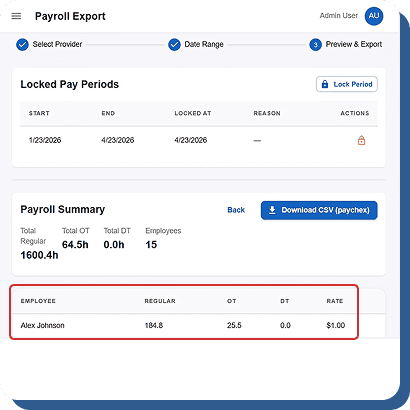
Paychex

Formatted export for Paychex Flex. Employee IDs, department codes, and hour breakdowns aligned to your setup.

CSV / Universal Export

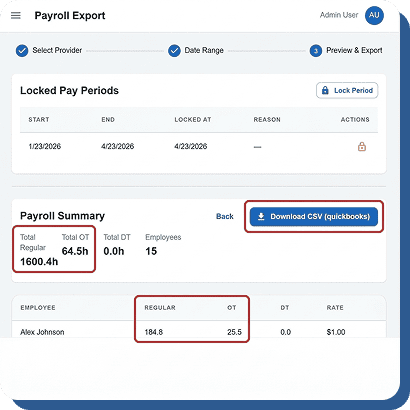
For any payroll provider not listed: download a CSV with employee ID, name, date, hours, overtime, PTO, break deductions, department, and location. Import into anything.

Overtime Calculated Right. Every Time. Automatically.

Overtime miscalculations are one of the most common sources of payroll errors and wage claims.

Configurable Overtime Rules

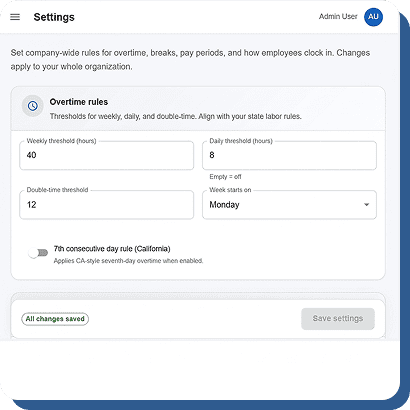
Daily overtime (over 8 hours), weekly overtime (over 40 hours), 7th consecutive day rules, California double-time — all configurable per company.

FLSA Rounding Rules

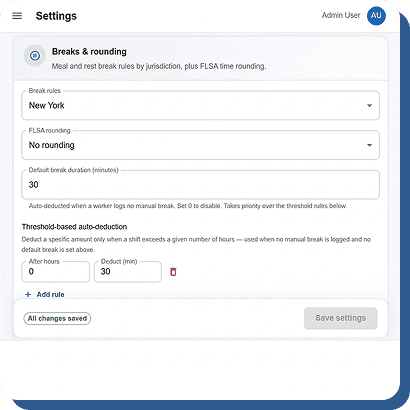
Apply compliant rounding (7/8 method, 15-minute, or custom) to clock times. Consistent across every punch.

Overtime Dashboard Alerts

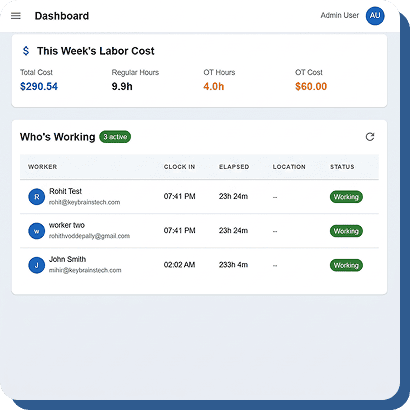
Approaching-overtime alerts appear on the real-time dashboard before employees cross the threshold. Adjust before overtime hits, not after.

Overtime in Export

Regular and overtime hours automatically separated in every export. No manual sorting. No formulas. Import-ready.

Lock It Down. Export It Clean. Audit It Anytime.

Payroll accuracy depends on clean, finalized data.

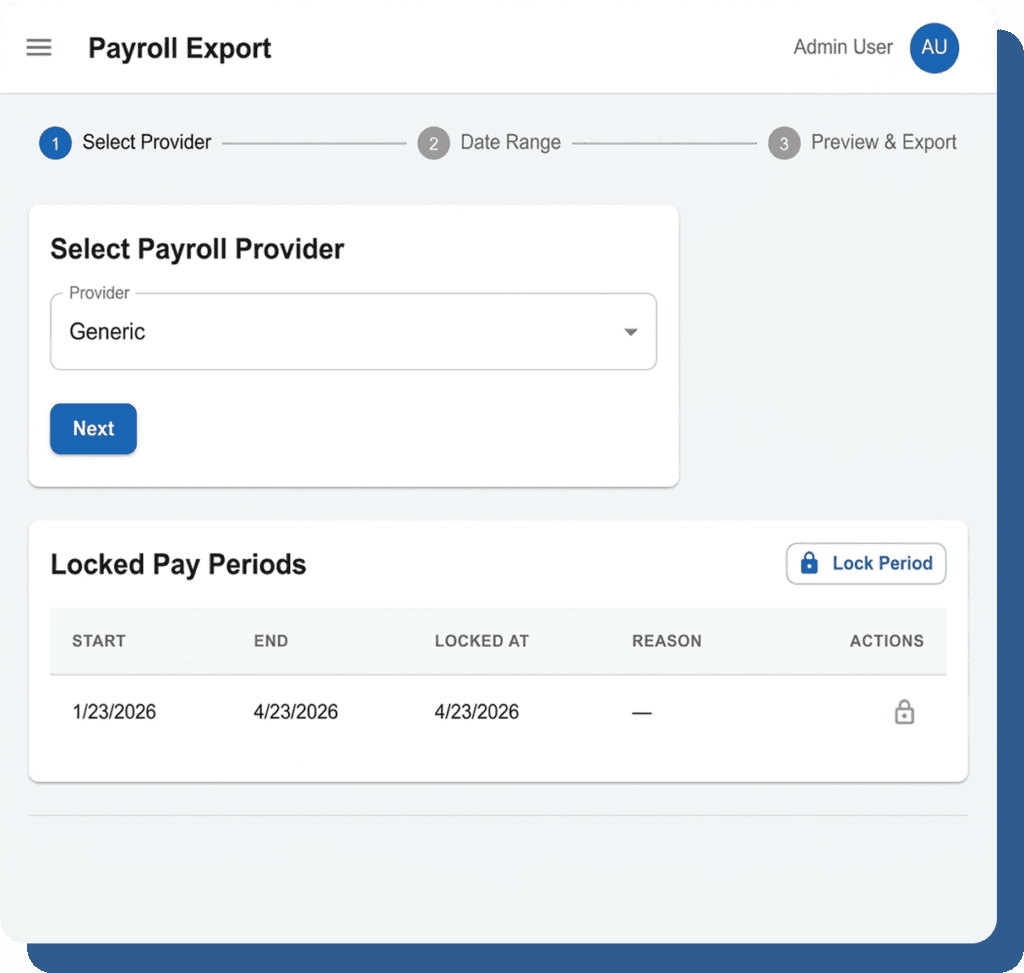
Pay Period Locking

Once approved and locked, no changes to timesheets within that period. Protects against retroactive edits.

Approval Before Export

Timesheets: Pending → Approved → Locked → Export. Clean chain of custody.

Immutable Audit Trail

Every change to every time entry is logged permanently — original values, new values, who, and when. Complete history for any auditor.

Department & Location Breakdowns

Exports include hours by department, location, and project. Multi-location businesses get per-site data in one file.

Scheduled Reports

Automated payroll summary reports emailed on your schedule — weekly, bi-weekly, or monthly. Data formatted and ready.

Clean Data. Ready to Import.

Export Field
Employee ID & Name
Pay Period Dates
Regular Hours
Overtime Hours
PTO / Leave Hours
Break Deductions
Department / Location
Rounding Applied
What It Includes
Matched to your payroll system’s employee records
Start and end dates for the export period
Total non-overtime hours worked
Separated by OT type (daily, weekly, double-time)
Broken out by leave type (vacation, sick, personal, etc.)
Auto-deducted break time where applicable
Per-department and per-location breakdowns
FLSA-compliant rounding method used, if configured

Payroll-Ready Hours. One Click. Free.

FLSA-compliant. Overtime calculated. Periods locked. Export to any provider. $0/user/month.