
AI-Powered
Built-In Compliance — Including Minor Labor Laws No One Else Enforces.
Cloud Time Manager’s rules engine automatically enforces FLSA overtime, meal and rest breaks, and state-specific minor labor law restrictions. If an employee is under 18, the system flags and blocks scheduling or clock violations based on their age and their state’s laws. No other platform does this natively. Free.
The Feature No Other Time Clock Offers.
If you employ anyone under 18 — in restaurants, retail, seasonal work, or anywhere else — you’re subject to state and federal minor labor laws. Violating them means fines, lawsuits, and reputational damage. Cloud Time Manager prevents violations before they happen.
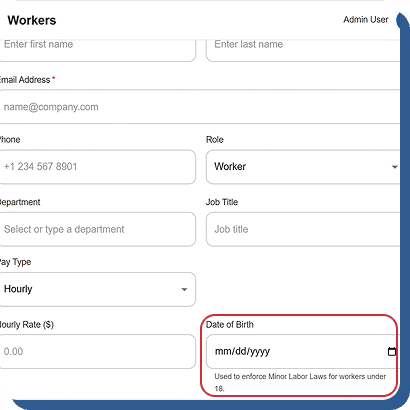
Age-Based Rules Engine
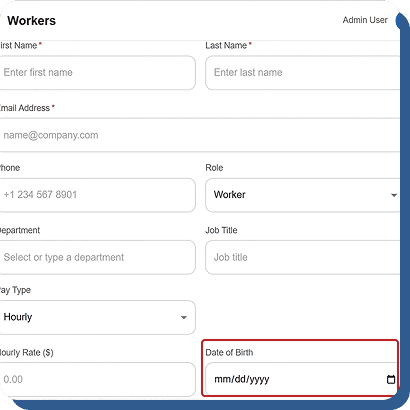
The system automatically reads each employee’s date of birth from their profile and applies the correct minor labor law restrictions without manual setup. Managers do not need to configure rules individually for each employee. The intelligent rules engine instantly identifies minor employees and enforces the appropriate labor regulations based on their age and work location. This automation helps businesses reduce compliance risks, simplify workforce management, and ensure minors are scheduled according to legal working hour requirements and labor protection laws at all times.
State-Specific Regulations
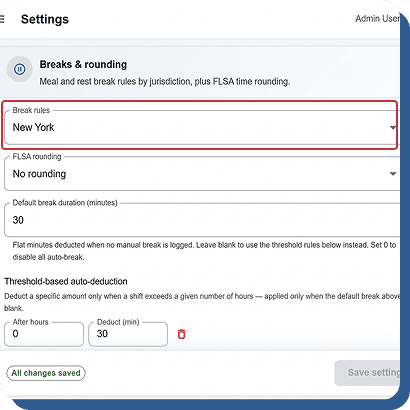
Minor labor laws differ by state, including limits on daily hours, weekly work hours, prohibited working times, required breaks, and school-day restrictions. The system automatically applies the correct regulations based on the employee’s assigned state or work location. This ensures businesses stay compliant with local labor laws without manually tracking changing requirements. By automating state-specific compliance rules, managers can confidently schedule minor employees while reducing legal risks, preventing labor violations, and maintaining accurate workforce policies across multiple locations and jurisdictions.
Schedule Blocking
When a manager attempts to schedule a minor employee outside legally permitted work hours, the system immediately blocks the shift from being saved. A clear warning message explains the exact violation and references the applicable labor rule or restriction. This proactive protection helps businesses avoid accidental scheduling violations and ensures managers remain compliant with state labor laws before schedules are finalized. By preventing non-compliant shifts at the scheduling stage, companies reduce legal exposure, improve workforce safety, and maintain responsible scheduling practices for younger employees.
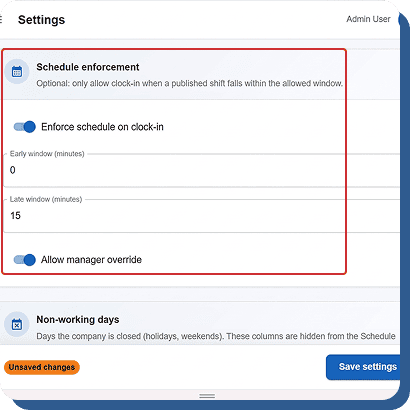
Clock-In Enforcement
The system can automatically block or flag punch attempts when a minor employee tries to clock in outside legally allowed working hours. This creates an additional layer of protection beyond scheduling compliance by enforcing labor rules directly at the clock-in stage. Managers receive visibility into any violations while ensuring employees cannot unintentionally work unauthorized hours. This dual-level protection helps businesses maintain labor law compliance, reduce payroll risks, and protect minor employees from working outside approved schedules or restricted time periods.
Audit-Ready Documentation
Every labor law enforcement action is automatically recorded in a detailed audit log, including what action was blocked, which compliance rule applied, and when the event occurred. Businesses maintain a complete and transparent compliance history for all minor employee scheduling and attendance activities. If labor inspectors or auditors request records, managers can quickly provide accurate documentation showing compliance efforts and enforcement actions. This audit-ready tracking system improves accountability, reduces legal risks, and helps businesses maintain stronger workforce compliance management.
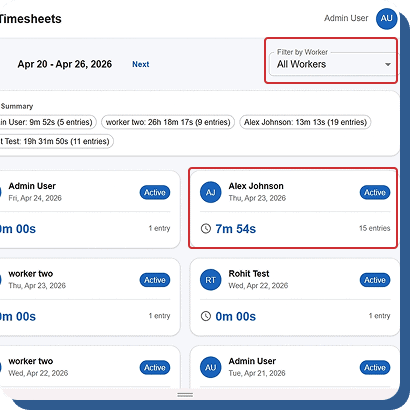
Overtime Calculated Correctly. Every Time.
Overtime miscalculations are the #1 source of wage-and-hour lawsuits.
Cloud Time Manager’s time-utils engine handles the math.
Cloud Time Manager’s time-utils engine handles the math.
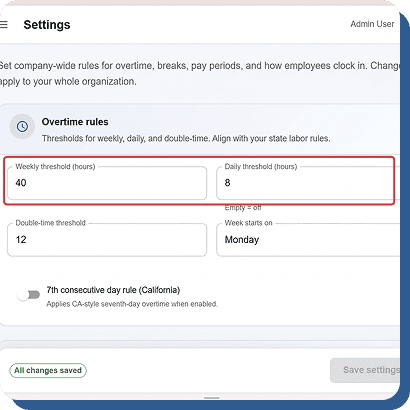
Configurable Overtime Rules
Set overtime rules based on your company policies and state labor laws, including daily overtime, weekly overtime, 7th consecutive day rules, and California double-time calculations. The flexible configuration system helps businesses maintain compliance while accurately tracking employee work hours and overtime costs across departments and locations.
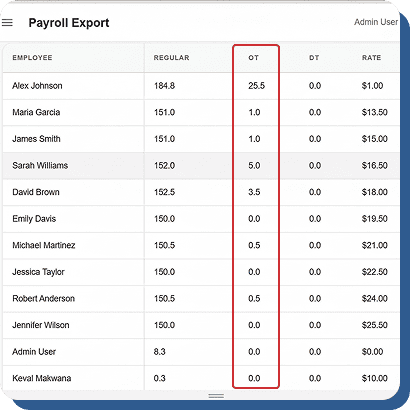
Automatic Calculation
Every employee time entry is automatically processed through the overtime engine to separate regular and overtime hours before payroll exports are generated. This automation reduces manual calculations, improves payroll accuracy, and ensures businesses can process payroll faster while staying compliant with labor regulations and overtime requirements.
Dashboard Alerts
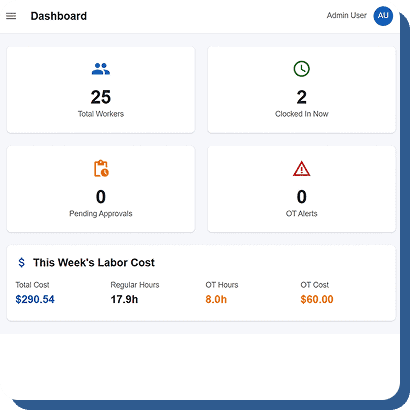
The system displays overtime warning alerts on the live dashboard before employees cross overtime thresholds. Managers can quickly adjust schedules, reassign tasks, or reduce hours before overtime costs increase. This proactive monitoring helps businesses control labor expenses and improve workforce planning before payroll processing begins.
FLSA Rounding
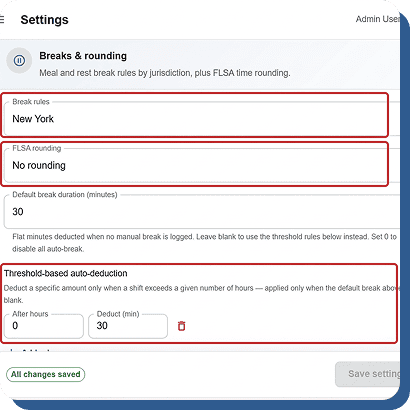
Apply consistent and compliant time-rounding methods such as 7/8 rounding, 15-minute rounding, or custom rounding policies across every employee punch. The system automatically processes clock times using your configured rules, helping businesses maintain payroll accuracy, simplify attendance calculations, and ensure labor law compliance across the organization.
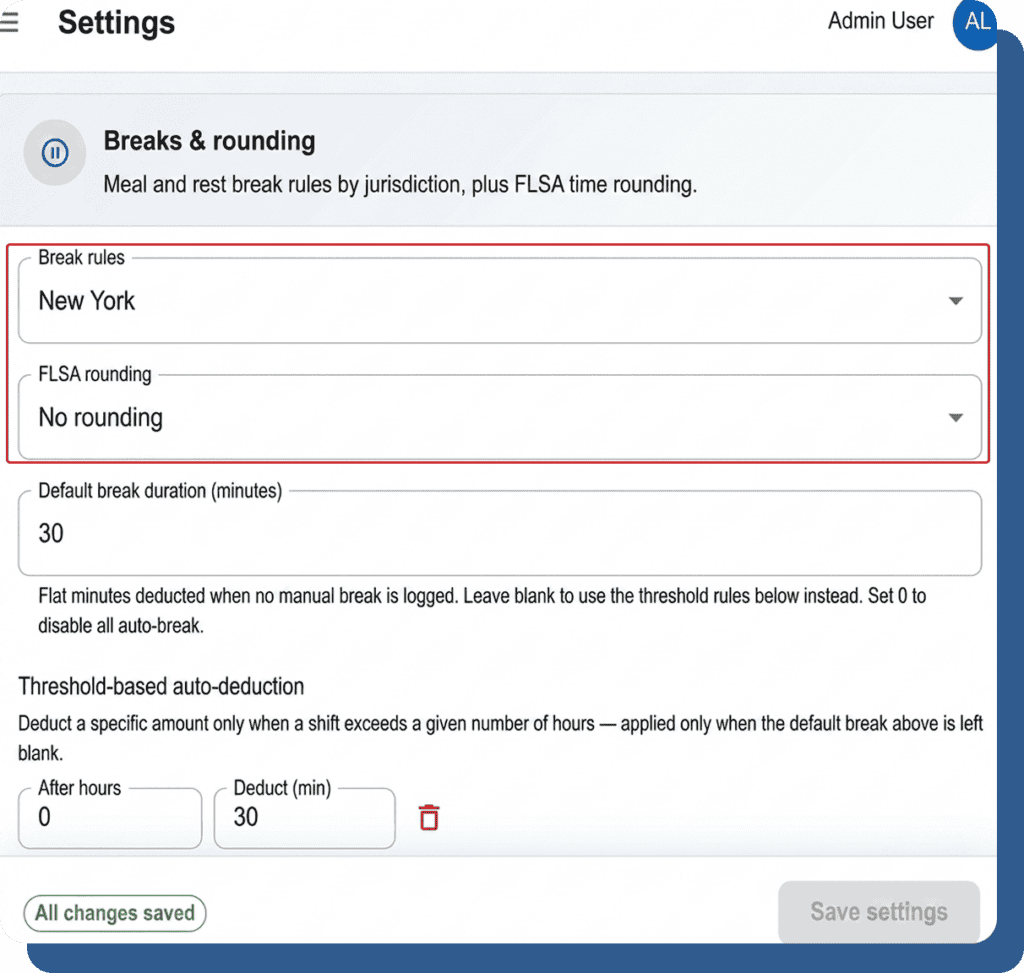
Meal and Rest Breaks — Tracked, Enforced, Documented.
Break laws vary by state and shift length. Cloud Time Manager tracks
and enforces them so you don’t have to rely on managers remembering the rules.
and enforces them so you don’t have to rely on managers remembering the rules.
Break Tracking
Employees log break start and end times from the mobile app or kiosk. Break duration is recorded precisely.
Auto-Deduction
Configure automatic break deductions based on shift length. A 6-hour shift gets a 30-minute deduction. An 8-hour shift gets two. Rules match your state’s requirements.
Break Compliance Alerts
If an employee works through a required break period, the system flags it. Managers see the violation on the dashboard and in compliance reports.
State-Specific Rules
Different states have different break requirements. Configure the rules for your state and the system enforces them automatically.
Every Change. Every Decision. Permanently Logged.
Compliance isn’t just about preventing violations. It’s about proving you followed the rules when someone asks.
Immutable Audit Logs
Every time entry change is recorded in an immutable log — original values, new values, who made the change, and when. The log can’t be edited or deleted. It’s a permanent record.
Pay Period Locking
Once a pay period is approved and locked, no changes can be made. This prevents retroactive edits that could create compliance or payroll discrepancies.
Manager Approval Chain
Timesheets follow a documented approval workflow: Pending → Approved → Locked. Every step is timestamped and attributed to the approving manager.
Exportable Records
Audit logs and compliance reports can be exported as PDF or Excel for legal, HR, or regulatory purposes. Your records aren’t trapped in the platform.
Compliance That Enforces Itself. Free.
Minor labor laws. FLSA overtime. Break compliance. Immutable audit trail. $0/user/month.