cloudtimemanager.com

Scheduling

Drag, Drop, and Done — Or Let the Engine Build It for You.

Build weekly schedules in minutes with drag-and-drop simplicity. Copy entire weeks. Set recurrence rules. Publish with one click and every employee gets a push notification. Or skip manual work entirely — the auto-schedule engine builds optimized shift plans in seconds. Completely free.
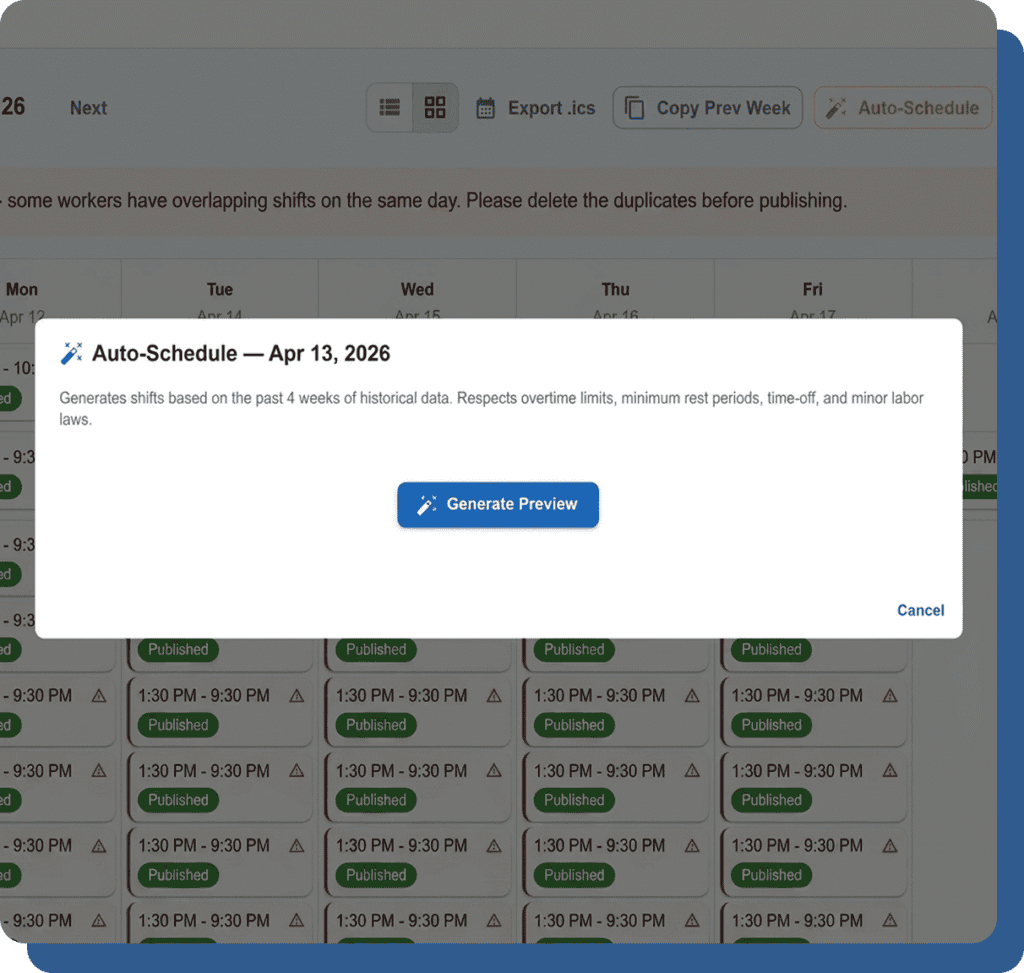
Visual Scheduling That Takes Minutes, Not Hours.

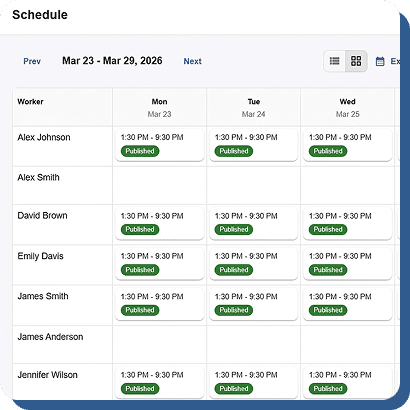
Stop texting schedules. Stop printing spreadsheets. Build the week visually, publish it once, and everyone knows where to be.

Drag-and-Drop Interface

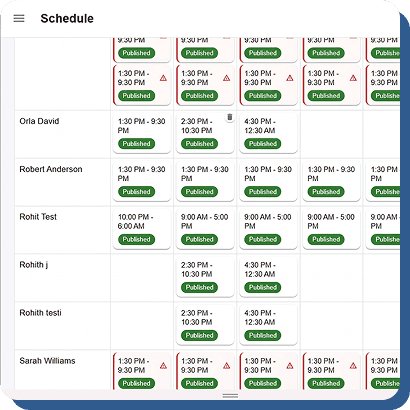
Create and manage employee schedules quickly with an intuitive drag-and-drop interface designed for speed and simplicity. Managers can click and drag shifts onto employees, resize shifts to adjust start and end times, and move schedules between team members effortlessly. The responsive scheduling system makes workforce planning faster and easier, reducing manual scheduling work while improving flexibility. Whether handling daily operations or last-minute changes, businesses can manage employee shifts smoothly with a modern scheduling experience that feels simple, efficient, and user-friendly across all devices.
Shift Templates

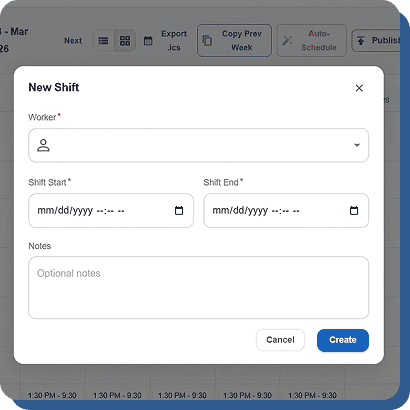
Save time by creating reusable shift templates for commonly scheduled work periods such as morning openers, mid shifts, closing shifts, or weekend coverage. Instead of building schedules from scratch every time, managers can simply select and apply preconfigured templates directly onto the schedule. This feature helps businesses maintain consistent staffing patterns, reduce repetitive scheduling tasks, and improve workforce planning efficiency. Reusable templates simplify schedule creation for both small teams and large organizations while helping managers quickly fill shifts with the right staffing structure.

Copy Week

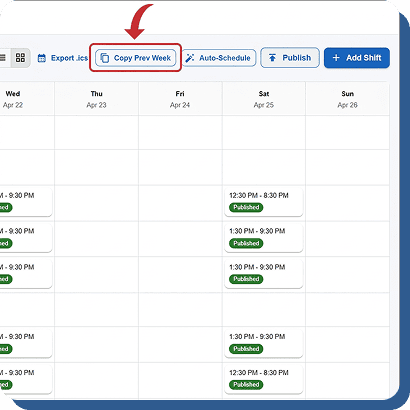
If a weekly schedule works well, managers can duplicate the entire schedule to the following week with just one click. After copying, schedules can be adjusted as needed before publishing to employees. This feature significantly reduces repetitive scheduling work and saves managers valuable administrative time each week. Businesses with recurring staffing patterns can maintain consistency, improve scheduling speed, and simplify workforce planning without rebuilding schedules manually from the beginning every pay period or operational cycle.

Recurrence Rules

Set employee shifts to repeat automatically on daily, weekly, or fully customized recurring patterns to simplify long-term workforce planning. For example, a recurring Monday 9-to-5 schedule can be automatically assigned to full-time employees without needing manual scheduling each week. This automation reduces repetitive work for managers, improves scheduling consistency, and ensures employees receive predictable schedules. Businesses can efficiently manage regular staffing needs while saving time and reducing scheduling errors across departments, locations, and recurring operational workflows.

Publish Once. Everyone Knows Instantly.

A schedule nobody sees is a schedule nobody follows.
Cloud Time Manager makes sure every employee knows their shifts the moment you publish.
One-Click Publish
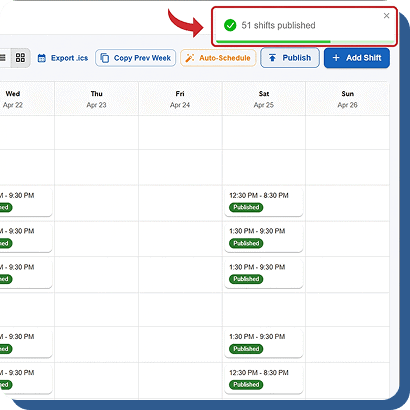
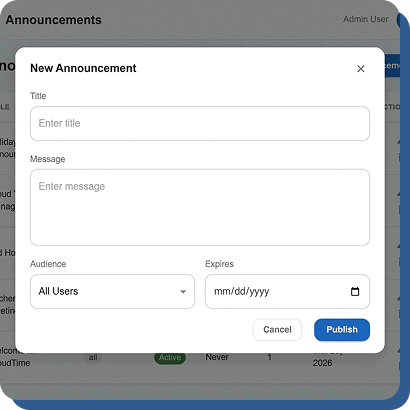
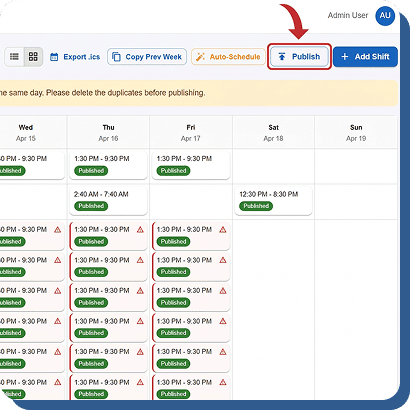
Once the schedule is finalized, managers can publish it instantly with a single click. The schedule status changes to Published and becomes immediately visible to assigned employees on both mobile and web platforms. This simplifies schedule distribution, improves communication, and ensures employees always have access to the latest shift updates in real time.

Push Notifications

The moment a schedule is published, every assigned employee receives an instant push notification on their mobile device. This removes the need for group messages, phone calls, or long email chains. Employees stay informed automatically, reducing missed shifts, communication confusion, and excuses about not seeing updated schedules or shift assignments.

Open Shifts

Managers can mark shifts as open and allow employees to claim available shifts directly through the system. This self-service scheduling feature helps businesses fill coverage gaps faster without constant back-and-forth communication. Employees gain more scheduling flexibility while managers reduce administrative work and improve overall shift coverage efficiency.

.ics Calendar Export

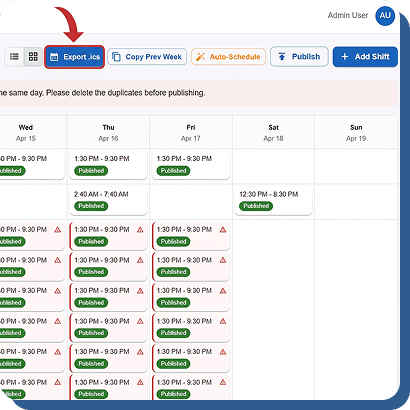
Employees can easily export their work schedules to Google Calendar, Apple Calendar, or Outlook using a standard .ics file. Work shifts automatically appear alongside personal events, helping employees stay organized and manage their time more effectively while reducing scheduling conflicts and missed shifts.

Rules That Prevent Problems Before They Happen.

Scheduling errors cause overtime, compliance violations, and angry employees.
Cloud Time Manager enforces your rules at the scheduling level — not after the damage is done.

Overtime Prevention

The schedule builder flags when assigning a shift would push an employee into overtime. See the warning before you publish, not on the payroll report.

Minor Labor Law Enforcement

If an employee is under 18, the schedule builder won’t let you place them outside legal working hours for their state. Automatic, not optional.

Availability Enforcement

Employees set their availability. The builder respects it. You can’t accidentally schedule someone who’s unavailable or on approved PTO.

Schedule-to-Clock Enforcement

Configure whether employees can only clock in during their scheduled shift, within a grace window, or at any time. Enforcement rules are set per company.

Build Better Schedules. Free.

Drag-and-drop. Auto-schedule. Push notifications. Open shifts. Compliance enforcement. $0/user/month.