
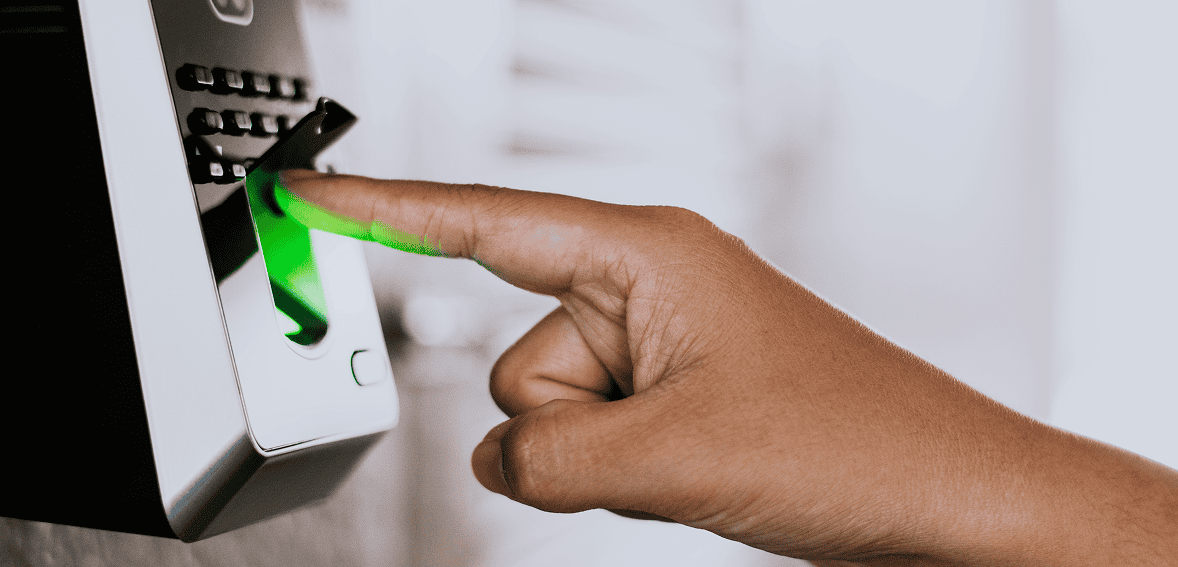
Let’s talk about the fingerprint clock on your wall.
You bought it because you wanted to stop buddy punching. Fair enough — that’s a real problem. But chances are, that device has quietly become one of the most expensive line items in your HR stack, and not just because of the sticker price you paid at checkout.
Between hardware costs, maintenance headaches, limited software features, and the workarounds your managers have invented just to keep things running, the true cost of a hardware-based time clock is almost always higher than businesses realize. Let’s break it down.
The Upfront Cost Is Just the Beginning
A mid-range fingerprint time clock from a vendor like uAttend will run you $150 to $500 per device. For a single location, maybe that feels manageable. But think about what comes next.
You’re also paying a monthly subscription on top of that hardware purchase. Most hardware-based time clock vendors charge $30 to $100 per month depending on your employee count — and the hardware doesn’t reduce that fee. You’re paying for both.
Then there’s installation. If you’re not technically inclined, or if you need multiple clocks across multiple locations, you’re looking at IT costs or a lot of time spent on setup. And once it’s installed? You’re tied to that wall.
Now multiply that across two locations. Or five. Or twenty. The hardware cost alone becomes significant — and that’s before a single device breaks, gets stolen, or goes out of support.
Hardware Breaks. Software Updates Itself.
Here’s something nobody puts in the brochure: fingerprint readers are surprisingly fragile in real-world conditions. Construction workers with calloused hands? The scanner struggles to read them. Employees with dirty or wet fingers? Same problem. Cold weather? Fingerprint sensors can become unreliable.
When a hardware clock malfunctions, you don’t just click “update” and move on. You’re troubleshooting a physical device, potentially contacting support, waiting on a replacement unit, and in the meantime — what? Your employees are signing paper sheets again, which defeats the entire purpose.
Software-based time tracking doesn’t have this problem. When there’s an issue, it gets patched remotely. When there’s a new feature, it appears in your dashboard the next time you log in. No shipping. No downtime. No trips to the supply closet to dig out the paper timesheets you thought you’d retired.
The Hidden Cost Nobody Talks About: Inflexibility
A fingerprint clock can only do one thing: verify that a specific person punched in at a specific physical location. That’s it.
What happens when you have a remote employee? A field worker on a job site with no clock? A manager who needs to approve timesheets from home? A worker who forgot to clock out and needs their timesheet corrected?
Every one of those scenarios becomes a manual exception. A phone call. A text message to a manager. A spreadsheet edit. A payroll correction at the end of the pay period. These micro-inefficiencies add up fast, and they’re invisible because no single instance feels expensive — but collectively they’re eating hours every month.
A cloud-based time tracking platform handles all of these natively. Workers clock in from their phone, from a browser, or from a kiosk tablet. Managers approve and edit timesheets in real time. GPS captures location at the moment of punch. Exceptions are handled digitally, with a full audit trail, not with a chain of text messages.
What About Multi-Location Businesses?
If you operate more than one location, the economics of hardware clocks get even worse. You’re not buying one device — you’re buying one per site. And each device needs to be networked, maintained, and eventually replaced.
More importantly, you still don’t have a unified view of your workforce. Each location’s data lives in its own silo. Getting a consolidated labor report across locations means exporting from each device separately, combining files manually, and hoping nothing got corrupted along the way.
With a cloud platform, every location shares the same system. You see a real-time dashboard of who’s clocked in across all your sites from a single screen. Labor costs roll up automatically. Reports cover every location at once. That kind of visibility is simply impossible with standalone hardware clocks.
The Buddy Punching Argument Doesn’t Hold Up Either

The most common reason businesses cite for buying a fingerprint clock is preventing buddy punching — when one employee clocks in on behalf of another. It’s a legitimate concern. Time theft is real, and it costs U.S. businesses billions of dollars a year.
But here’s the thing: you don’t need a $400 piece of hardware to solve it.
A software kiosk mode running on a shared tablet can capture a photo at every punch, tied to a PIN. GPS geofencing means the clock-in only registers if the employee is physically at the job site. Manager notifications flag unusual punch patterns. All of these controls exist in modern time tracking software — and they run on a $100 tablet you already own, or on the phone already in your employee’s pocket.
A fingerprint scanner is one way to prevent buddy punching. It’s not the only way, and it’s increasingly not the best way.
What You’re Missing Without Scheduling and Compliance Tools
Here’s where the real cost gap opens up. Most hardware time clock vendors — including the popular ones — don’t offer scheduling. They’re built to record punches, period. That’s it.
So if you’re using a fingerprint clock for time tracking, you’re probably also using a separate tool for scheduling. Maybe it’s a shared Google spreadsheet. Maybe it’s a scheduling app you pay for separately. Maybe it’s still paper. Either way, you’re paying for two systems — or tolerating the inefficiency of running without a real scheduling tool at all.
Modern cloud time tracking platforms include scheduling as part of the package. Drag-and-drop schedule builders, shift templates, auto-scheduling based on demand, shift swap workflows, push notifications when the schedule is published — all of it integrated with the time tracking system, so scheduled hours and actual hours live in the same place.
And then there’s compliance. If you employ anyone under 18, you’re subject to minor labor laws that vary by state — restrictions on hours, required break intervals, prohibited job types. No fingerprint clock enforces any of this. A rules-based time tracking platform can flag violations before they happen and block non-compliant scheduling automatically. That’s protection from fines and litigation that a piece of hardware simply cannot offer.
The Payroll Connection
Even if your hardware clock works perfectly, there’s still the question of getting the data into your payroll system. With most hardware-based clocks, this means exporting a file, reformatting it, importing it into your payroll software, and manually checking for errors.
Cloud time tracking platforms integrate directly with payroll providers like QuickBooks, ADP, Gusto, and Paychex. Approved timesheets sync to payroll automatically. Pay periods get locked to prevent retroactive edits. Overtime is calculated correctly based on your configurable rules — daily overtime, weekly overtime, California rules, seventh-day rules — whatever applies to your business.
The hours your employees work and the pay they receive should flow through your systems without anyone manually touching a spreadsheet. Hardware clocks don’t get you there. Modern software does.
Let’s Add Up the Real Cost

Here’s a rough comparison for a business with 25 employees across two locations:
- Hardware purchase (2 fingerprint clocks): $600–$1,000 upfront
- Monthly subscription for hardware-based service: $60–$120/month
- Separate scheduling tool (if needed): $50–$100/month
- IT/setup time and ongoing maintenance: $200–$500/year estimate
- Payroll export/formatting time: 2–4 hours/month at manager rate
- Manual exception handling (missed punches, corrections): 3–5 hours/month
Compare that to a cloud-based platform that handles time tracking, scheduling, GPS geofencing, payroll integration, compliance enforcement, and PTO management in a single subscription — with no hardware to buy, no IT to involve, and no separate tools to stitch together.
The math usually favors software within the first six to twelve months, and that’s before accounting for the time savings.
What Does the Transition Actually Look Like?
One of the biggest reasons businesses stick with hardware clocks longer than they should is fear of the transition. It feels like a big project. But in practice, switching to a cloud-based time tracking platform is usually much faster than people expect.
Most modern platforms can import your existing employee data from a CSV file. Setup — creating locations, configuring geofences, setting overtime rules, publishing your first schedule — typically takes a few hours, not days. Employee onboarding is straightforward: they download the app and clock in. No fingerprint enrollment, no hardware to configure.
If you want a kiosk experience for employees who share a tablet at a central location, PIN-based kiosk mode gives you that — on hardware you probably already own. No proprietary device required.
Most businesses that make the switch report that their teams adapt within a week. The bigger adjustment is usually for managers, who suddenly have real-time visibility into their workforce instead of a stack of timesheets to process at the end of the period.
The Bottom Line
A $400 fingerprint clock is a $400 solution to a problem that modern software solves better, cheaper, and more completely. Once you add up the hardware, the subscription fees on top of that hardware, the separate scheduling tools, the manual payroll work, and the exceptions that fall through the cracks, the true cost of a hardware-based time clock is considerably higher than the purchase price suggests.
Cloud-based time tracking isn’t just a tech upgrade. It’s a way to consolidate your workforce management tools, reduce manual work, give managers better visibility, and give employees a better experience — all for less than you’re likely spending right now.
The fingerprint clock on your wall has served its purpose. It’s probably time to move on.
Ready to make the switch?
CloudTimeManager is a 100% software-based time and attendance platform with offline-first mobile, GPS geofencing, built-in scheduling, and direct payroll integration. No hardware required. Live in 15 minutes. Free — no credit card needed.